Dynamic Suspend And Lock
What is Dynamic Suspend and Lock?
The software is similar to the "Dynamic Lock" in Windows 11. It locks your PC when your phone or another smart device is no longer near your PC. "Dynamic Lock" uses Blue Tooth. However, this software uses Wi-Fi. In addition, this software goes a step further. In addition to locking, you can put your PC into a sleep mode like hibernate or suspend.
Settings
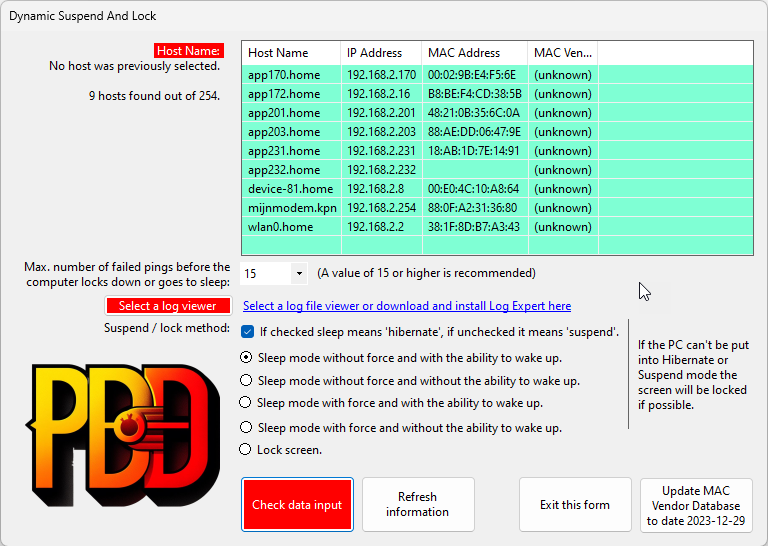
The first time you start the program you will see the settings screen. It will show you all available devices within the local network.
To show the manufacturers of the devices press the button "Update MAC Vendor Database to date
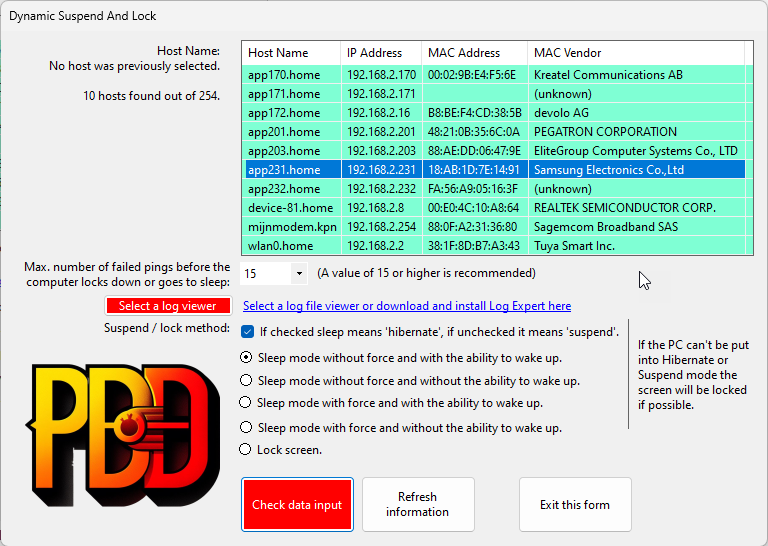
As you can see I have done the download and it was quite easy to find and select my phone. You probably notice that the red color from the "Host Name" is gone. This is because I selected a device.
The trigger to lock your PC or smart device is the number of failed pings to the device. Each second the device will be checked if it fails to answer (in this case 15 times) the PC will be locked or put into sleep.
The next thing is to select a log viewer. This is not mandatory, but if you select a log viewer you can read the log. You could use notepad for that but you also can download and install a log viewer like "Log Expert". If you click the link you will be redirected to the site.
After downloading, installing and selecting Log Expert, your screen will look like this:
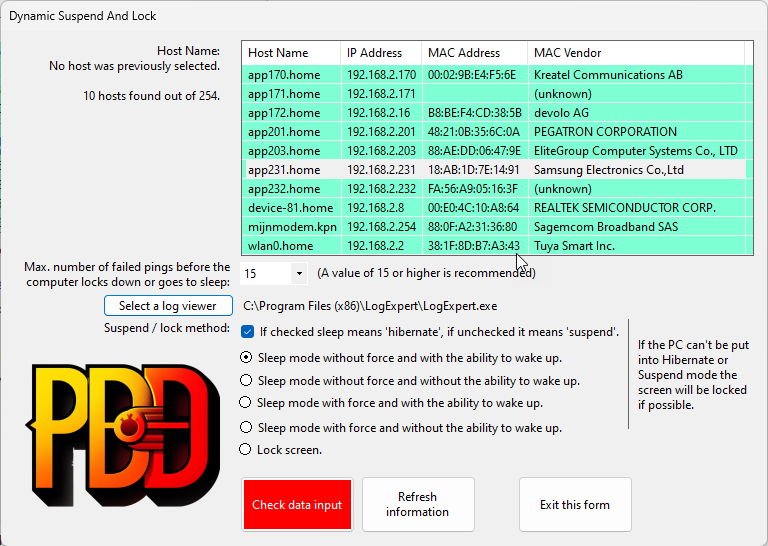
Finally you have to decide what will happen. You have a number of options. Above is the default. Next thing is to press the red button "Check data input". It will validate the input and will activate the monotoring. The only button that is left is the "Refresh button" is will refresh the green table with new visible devices.
Monitoring
The monitoring is not very interesting. In the tray area of your PC you will see one of the following icons:
White means the monitoring has start but your device wasn't visible.
Green means your device is visible
Yellow means your device missed one or more pings
When your PC is put into sleep mode or locked, the yellow and red icons will alternate. Eventually the icon will be completely red, five seconds before the PC goes to sleep or locks.
Other
The installer will put a shortcut to the program in the startup folder of your PC.
The software is freeware.
Windows Download
Click here to download the software
Support
You can report bugs or ask questions by sending an e-mail to me